
Announcing the Release of our NEW ESPRIT Edge Beginning Milling & Beginning Turning Tutorials
ESPRIT Edge Beginning Milling
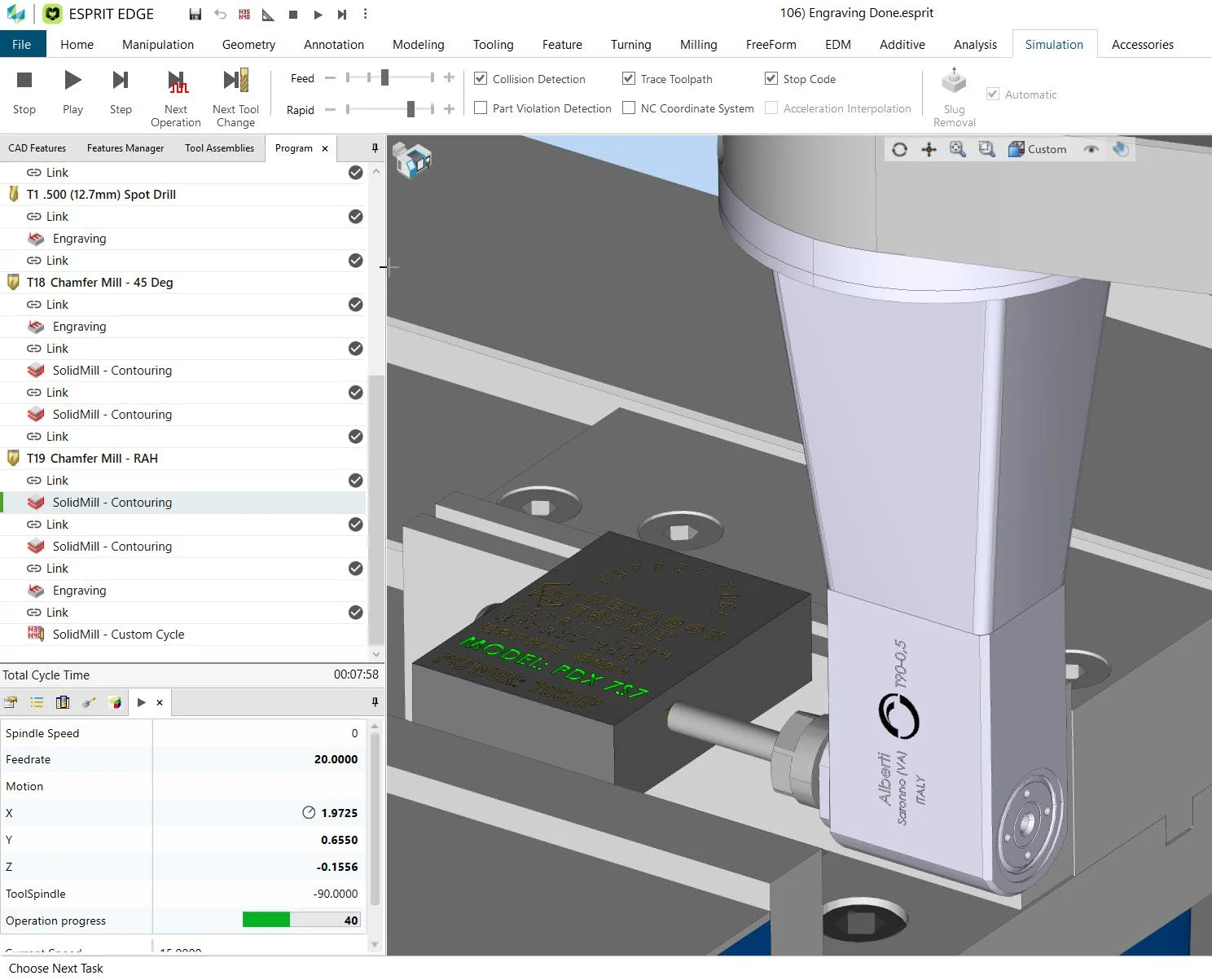
ESPRIT Edge Beginning Milling $250This 20 hour full length ESPRIT Edge Tutorial covers all of the Operations found in the ESPRIT SolidMill Traditional Module using six (6) different Projects. Operations covered include Pocketing, Contouring, Drilling, Facing, Threading, Engraving, Spiraling, Manual Milling, Wireframe Milling, Park, Custom Cycle, Insert Technology and Edit Toolpath.
We will also create some GDML Fixtures and add a new Vice and design and machine our own Soft Jaws in ESPRIT Edge. We will then add the new Soft Jaws to the Machine Tool Builder to create a new vice and use the new Fixture to machine the Project.
FREE BONUS DVD!!! Just like with our ESPRIT 20xx Tutorials there is a new ESPRIT Edge Essentials Tutorial. This 10 hour Tutorial covers creating Geometry, Work Planes, Solid Models, Features in detail as well as all of the Accessories and Extensions such as the Machining Cloud, eMerge. This FREE BONUS is a good way to learn all of the non-machining aspects of ESPRIT Edge before you dive off into one of our Machining specific Tutorials.
NOTE: You will choose to either receive Download Links (no extra charge) or Shipped DVDs when you choose “CART” in the upper left corner and start the Checkout process. You will get a confirmation email that will offer you Download Links (no extra charge) if you choose Shipped DVD so that you can use the Tutorials while your DVDs are in transit.

ESPRIT Edge Beginning Turning
ESPRIT Edge Beginning Turning $250This 20 hour full length ESPRIT Edge Tutorial covers all of the Operations found in the ESPRIT SolidTurn Traditional Module and Turning Ribbon in ESPRIT Edge. Operations covered include Roughing, Contouring, Grooving, Drilling, Threading, Cut-Off, Manual Turning, Bar Feed, Tailstock, Steadyrest, Park, Custom Cycle, Insert Technology and Edit Toolpath.
We will use both 2D CAD and Solid Models as well as modify an existing Machine and Chuck using the Machine Tool Builder (MTB) as well as building a new MTB Machine from a ESPRIT 20xx .EMS and multiple Custom Jaws for different Projects. Each part will be machined from scratch including both OP10 First Operation and OP20 Second Operation to complete the back side of each part.
FREE BONUS DVD!!! Just like with our ESPRIT 20xx Tutorials there is a new ESPRIT Edge Essentials Tutorial. This 10 hour Tutorial covers creating Geometry, Work Planes, Solid Models, Features in detail as well as all of the Accessories and Extensions such as the Machining Cloud, eMerge. This FREE BONUS is a good way to learn all of the non-machining aspects of TNG before you dive off into one of our Machining specific Tutorials.
NOTE: You will choose to either receive Download Links (no extra charge) or Shipped DVDs when you choose “CART” in the upper left corner and start the Checkout process. You will get a confirmation email that will offer you Download Links (no extra charge) if you choose Shipped DVD so that you can use the Tutorials while your DVDs are in transit.

ESPRIT Edge FreeForm 3-Axis
ESPRIT Edge FreeForm 3-Axis $400 is an all new four DVD/ISO Image, 25+ hour full length ESPRIT Tutorial. Disk #1 covers CAD for CAM Modeling including all of the Surface Modeling features in ESPRIT Edge. Disk #2 through Disk #4 include hands on exercises for 3-Axis Milling, Live C-Y MillTurn, 3+1 and 3+2 applications of Freeform 3-Axis Operations using a variety of parts.
NOTE: You will choose to either receive Download Links (no extra charge) or Shipped DVDs when you choose “CART” in the upper left corner and start the Checkout process. You will get a confirmation email that will offer you Download Links (no extra charge) if you choose Shipped DVD so that you can use the Tutorials while your DVDs are in transit.

ESPRIT TNG First Look
ESPRIT TNG First Look $150 This is our first ESPRIT TNG Tutorial starts with a detailed overview of the new TNG User Interface. Next is a Modeling in TNG exercise that covers the basics of creating geometry, solids and dimensioning in TNG.
We then explore TNG in detail with one 2.5D Milling, one Turning with MillTurn and one Wire EDM project in TNG from scratch so you can learn how to get starting using TNG. These exercises showcase some of the new functionality that ESPRIT TNG has to offer while explaining the differences from an ESPRIT 20xx perspective. We follow that up with a lesson that covers the methods of saving Operations, Template, the new Pack and Save and much more.
The next movie addresses the most important questions for any ESPRIT 20xx Users about TNG. We will take you through reading ESPRIT 20xx .ESP files in TNG to discuss the steps needed to use your legacy .ESP file. Next we cover converting your existing ESPRIT 20xx .EMS Machine Setup files into an ESPRIT TNG Machine Project using the Machine Tool Builder.
Last but not least we go through a hands-on exercise upgrading an old ESPRIT 2010 Post Processor to work in ESPRIT TNG and discuss some of the Post changes needed to take advantage of the new and improved way of making parts in ESPRIT TNG.
Whether you're already using ESPRIT TNG or want to know more so you can prepare for the future one this is clear, ESPRIT TNG is the future of ESPRIT. This Tutorial will help you as you understand what ESPRIT TNG is all about and to help you manage your transition from ESPRIT 20xx to ESPRIT TNG.
NOTE: You will choose to either receive Download Links (no extra charge) or Shipped DVDs when you choose “CART” in the upper left corner and start the Checkout process. You will get a confirmation email that will offer you Download Links (no extra charge) if you choose Shipped DVD so that you can use the Tutorials while your DVDs are in transit.

ESPRIT TNG Beginning Milling
ESPRIT TNG Beginning Milling $250This 20 hour full length ESPRIT Edge Tutorial covers all of the Operations found in the ESPRIT SolidMill Traditional Module using six (6) different Projects. Operations covered include Pocketing, Contouring, Drilling, Facing, Threading, Engraving, Spiraling, Manual Milling, Wireframe Milling, Park, Custom Cycle, Insert Technology and Edit Toolpath.
We will also create some GDML Fixtures and add a new Vice and design and machine our own Soft Jaws in TNG. We will then add the new Soft Jaws to the Machine Tool Builder to create a new vice and use the new Fixture to machine the Project.
FREE BONUS DVD!!! Just like with our ESPRIT 20xx Tutorials there is a new ESPRIT Edge Essentials Tutorial. This 10 hour Tutorial covers creating Geometry, Work Planes, Solid Models, Features in detail as well as all of the Accessories and Extensions such as the Machining Cloud, eMerge. This FREE BONUS is a good way to learn all of the non-machining aspects of TNG before you dive off into one of our Machining specific Tutorials.
NOTE: You will choose to either receive Download Links (no extra charge) or Shipped DVDs when you choose “CART” in the upper left corner and start the Checkout process. You will get a confirmation email that will offer you Download Links (no extra charge) if you choose Shipped DVD so that you can use the Tutorials while your DVDs are in transit.

ESPRIT TNG Beginning Turning
ESPRIT TNG Beginning Turning $250 This 20 hour full length ESPRIT TNG Tutorial covers all of the Operations found in the ESPRIT SolidTurn Traditional Module and Turning Ribbon in TNG. Operations covered include Roughing, Contouring, Grooving, Drilling, Threading, Cut-Off, Manual Turning, Bar Feed, Tailstock, Steadyrest, Park, Custom Cycle, Insert Technology and Edit Toolpath.
We will use both 2D CAD and Solid Models as well as modify an existing Machine and Chuck using the Machine Tool Builder (MTB) as well as building a new MTB Machine from a ESPRIT 20xx .EMS and multiple Custom Jaws for different Projects. Each part will be machined from scratch including both OP10 First Operation and OP20 Second Operation to complete the back side of each part.
FREE BONUS DVD!!! Just like with our ESPRIT 20xx Tutorials there is a new ESPRIT TNG Essentials Tutorial. This 10 hour Tutorial covers creating Geometry, Work Planes, Solid Models, Features in detail as well as all of the Accessories and Extensions such as the Machining Cloud, eMerge. This FREE BONUS is a good way to learn all of the non-machining aspects of TNG before you dive off into one of our Machining specific Tutorials.
NOTE: You will choose to either receive Download Links (no extra charge) or Shipped DVDs when you choose “CART” in the upper left corner and start the Checkout process. You will get a confirmation email that will offer you Download Links (no extra charge) if you choose Shipped DVD so that you can use the Tutorials while your DVDs are in transit.

ESPRIT TNG Wire EDM Starter Bundle
ESPRIT TNG Wire Starter Combo $300 This Bundle is designed to help New Users of ESPRIT TNG Wire EDM get up to speed. We do not have a full length TNG Wire EDM Tutorial yet and won’t have one until next year. This Bundle is designed to bridge the gap until then. This Bundle includes:
ESPRIT TNG Essentials: Covers all non-machining aspect of TNG including creating geometry, solid models and all Accessories and Extensions.
ESPRIT TNG First Look: This Tutorial includes ONE full length TNG Wire EDM exercise with both 2-Axis and 4-Axis Operations.
ESPRIT 2020 Wire EDM Gold & Platinum: This full length Tutorial uses the ESPRIT “Classic” interface to cover all SolidWire EDM Gold and Platinum Operations as well as all EDM Machine Types. This Tutorial is a $300 value that is being included in this unique TNG Bundle. The skills shown in this Tutorial can be used in TNG. You can also open any of the existing starting files (.ESP).
Strategy: You will use the TNG basics covered in the TNG First Look Wire EDM exercise to learn skills such as Importing a Part, adding Stock and Mounting the Workpiece on a Machine. When you have finished programming the TNG Exercise part you will then watch the ESPRIT 2020 Tutorials and use the same files and follow along in TNG to duplicate the lessons covered in ESPRIT 2020.
NOTE: You will choose to either receive Download Links (no extra charge) or Shipped DVDs when you choose “CART” in the upper left corner and start the Checkout process. You will get a confirmation email that will offer you Download Links (no extra charge) if you choose Shipped DVD so that you can use the Tutorials while your DVDs are in transit.

ESPRIT TNG Essentials
This Tutorial is FREE with any TNG Tutorial listed below. In addition to tips on how to Configure TNG and Mouse Viewing Skills this 10+ hour Tutorial also covers these ESPRIT TNG Basics:
Create 2D Geometry, Dimension and Solid Modeling, Work Planes, Creating and Editing Features, Analysis, KnowledgeBase Basics of the Cutting Tool and Speed Feed Libraries. Also covered are ALL Accessories and Extensions as well as Converting ESPRIT 20xx .EMS Machines and .ASC Post Processors to TNG.